

I use Sonible plugins most days, so I already trust their build quality and how they sound out of the box. When they release a new saturation plugin and it’s free, I pay attention.
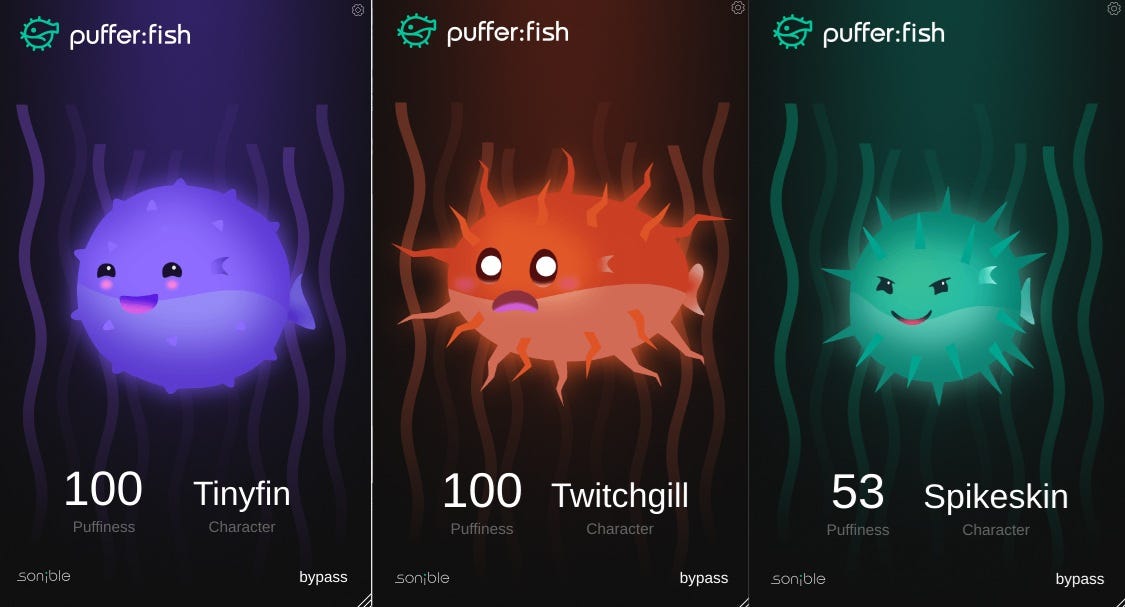
Instead of one one-size-fits-all saturation curve, this plugin offers three distinct modes: Tinyfin, Spikeskin, and Twitchgill.
What I did when testing Sonible’s Pufferfish.
In the video attached to this newsletter, I start with a dry drum loop.
Then I do two things:
I switch through all three modes so the character change is immediately clear.
I push the intensity so you can hear how each mode scales at more extreme settings.
If you want to know whether this sound fits your taste, that’s the fastest test I know.
How the three modes feel
Tinyfin is the softest option. It adds gentle harmonics that make a loop feel warmer, thicker, and a touch louder, without falling apart. I reach for it when I want cohesion more than aggression.
Spikeskin is not subtle. It moves quickly from saturation into edgy distortion. Transients feel sharper, harmonics build fast, and the result is raw and forward. I use it when “clean” sounds too polite.
Twitchgill starts warm, then gets more unpredictable the harder you push it. The harmonics react dynamically to the input, so the sound can feel like it has movement. I notice this most on long, sustained low end, like drawn-out kicks or sub bass notes, where the character has time to bloom.
Where I try it first
If I want a quick starting point, I test it on:
Drums and drum bus for impact and density
Kick and bass for weight, bite, and controlled grit
Synths for presence and character
How to test it without fooling yourself
Put it on a source you know well (a familiar drum loop or bass line).
Match the output level after adding saturation. Louder often sounds “better” even when it isn’t.
Switch modes first, then adjust intensity.
Stop when you hear the tone change clearly, then back off slightly.
Listen to the video, then download the plugin from Sonible’s website and run the same test on your own material.
Saturation is taste. A short, controlled comparison will tell you in a few minutes whether this belongs in your default template.
Best regards,
Marcus
Your Mixing Mastering Engineer for Electronic Music


